Concept Preview  ·  Back to Rootwise

Rootwise App  ·  Patient Flow

Symptoms, summary, and plan — before the parking lot.

Four steps that make every appointment easier and every instruction clearer — plus a 20-second daily check-in that turns the weeks in between into a symptom picture your doctor can actually use. Privacy-first: your recording is deleted the moment your summary is ready.

Step 01 / 04

Pre-Appointment Setup

Bring your symptoms; we organize them for a more effective appointment.

Before the Visit

Patient Experience

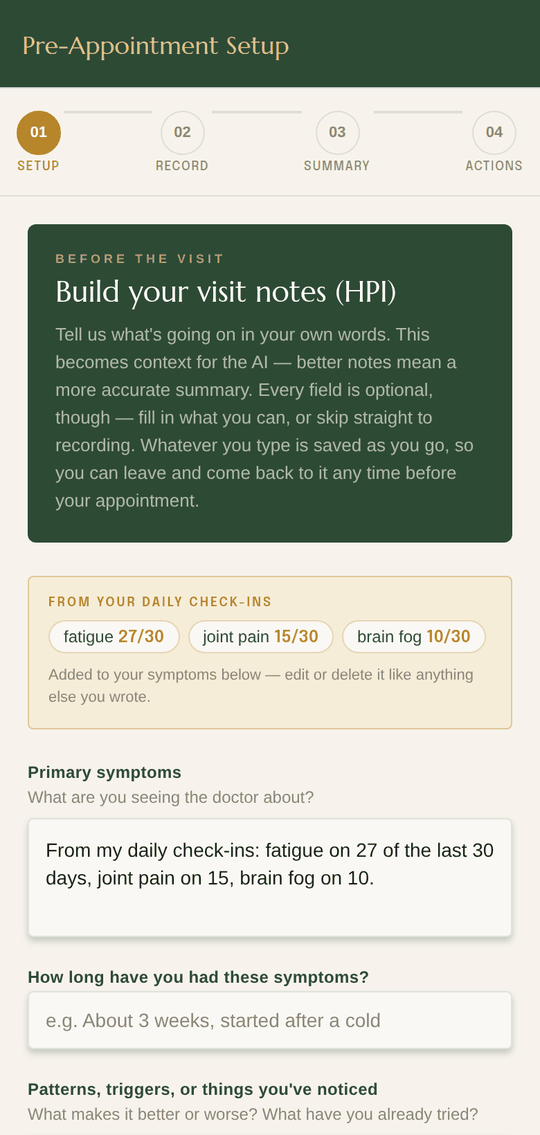
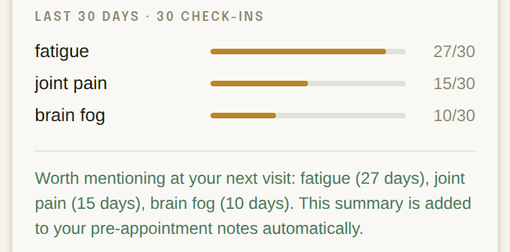
The Rootwise App pre-appointment setup screen: a card showing the three symptoms logged most often in the last 30 days, above a form for primary symptoms, how long you have had them, patterns and triggers, and your goal for the visit.
Your visit notes, in your words

Before your appointment, you build your visit notes in your own words — no jargon required.

  • Your most-logged symptoms are filled in from your daily check-ins before you start
  • Add how long it's been going on, and any patterns or triggers
  • Set your main goal for the visit — what you need to leave with
  • Every field is optional; skip the lot and go straight to recording if you're already in the waiting room
  • Already had the visit? Go straight to typing it up instead
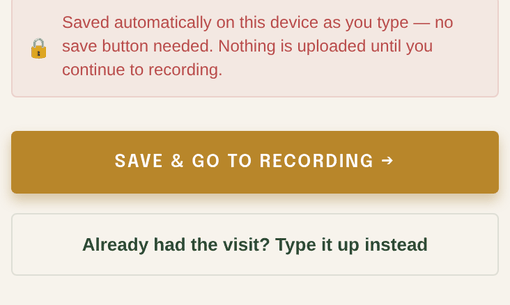
Close-up of the bottom of the setup screen: a notice that notes save automatically with no save button needed, above a Save and Go to Recording button and a link reading Already had the visit? Type it up instead.
Notes autosave on your device as you type — there's no save button to remember. Keep editing right up to the appointment, and nothing is uploaded until you continue.

Under the Hood

Input

Structured form captures symptoms, duration, patterns, and visit goal — every field optional. The draft is written to AsyncStorage as the patient types, so it survives closing the app, and it is flushed on the way out rather than lost to a half-finished keystroke.

Check-In Context

The daily symptom log lives on the device. Its ranked 30-day counts are pulled into the symptoms field automatically and travel with the summarization call, so the summary reflects how the patient has actually been between visits. The free-text note on a check-in is never sent.

Privacy

Intake notes are device-only until the patient continues to recording — the point at which the appointment record is created. Nothing is uploaded before it.

Notes stay on device until recording

Step 02 / 04

Appointment Recording

One tap, with consent. You focus on the conversation.

During the Visit

Patient Experience

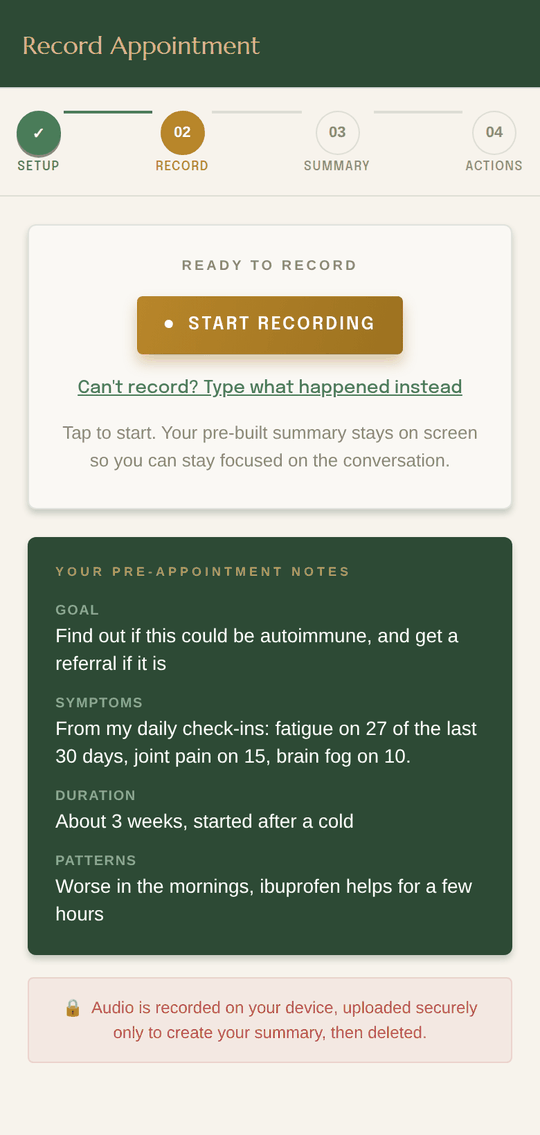
The Rootwise App recording screen: a Start Recording button, a link reading Can't record? Type what happened instead, the pre-appointment notes below, and a note that audio is deleted once the summary is created.
One tap to start
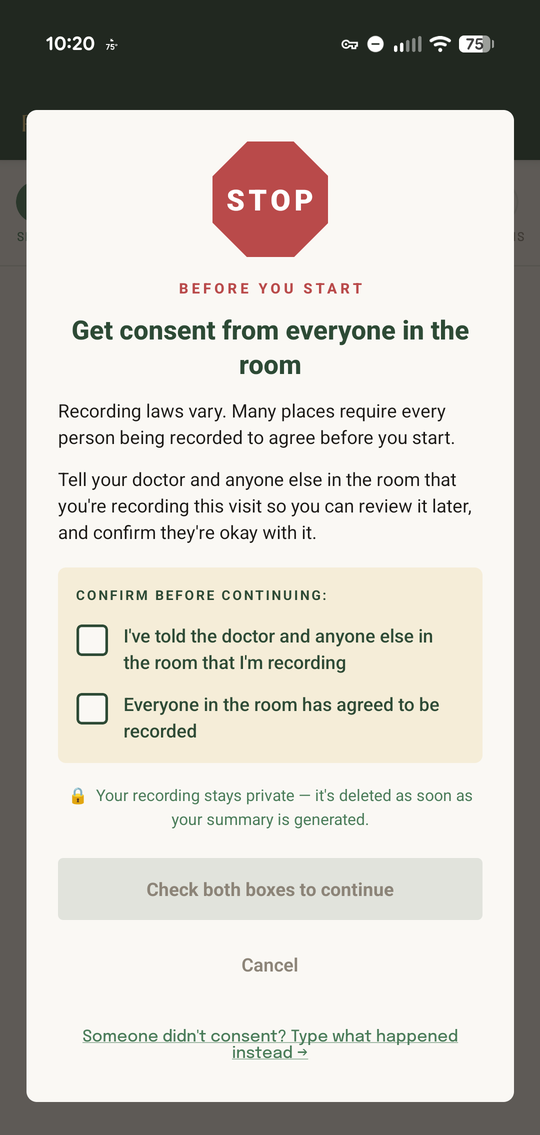
The Rootwise App consent gate: a stop sign above the heading Get consent from everyone in the room, with two checkboxes that must both be ticked before recording can start.
Consent gate, before anything records

One tap starts the recording. You focus on your doctor. The app handles the rest — you don't have to take notes or try to remember everything that was said.

  • Recording can't start until you tick both boxes: you told the room, and everyone agreed
  • Your pre-appointment notes stay on screen to help you stay on track
  • Audio captured locally while you have the conversation
  • Pause and resume freely — the easy way to capture only the instructions at the end
  • One tap to stop and trigger processing
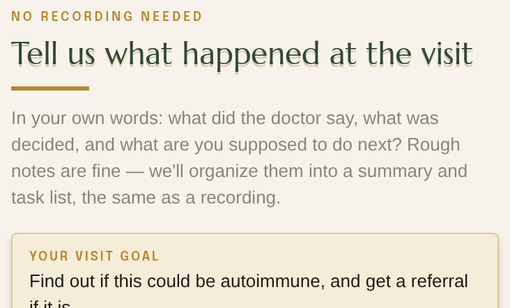
Close-up of the Write Your Recap screen: the label No Recording Needed above the heading Tell us what happened at the visit, and a note that rough notes are fine.
Someone didn't consent, or recording just isn't an option? Type what happened instead. Rough notes are fine — they become the same summary and the same task list.

Under the Hood

Audio Capture

On-device microphone via expo-audio, written to a single .m4a in app-private storage. Buffered locally, never streamed, no real-time transcription. Pause and resume write into the same file, so the paused stretches are simply not in it.

Resumable Pipeline

Transcribe → summarize → save runs inline; there is no background queue. Each finished step is checkpointed, so switching apps mid-flight resumes instead of losing the take, and an interruption — an incoming call seizing the microphone — surfaces as a recoverable state with the audio intact.

Text Fallback

If consent isn't given or the room isn't right for recording, the patient writes a free-text recap instead. It enters the same pipeline at the summarization step — no audio, no transcript, identical output.

Ephemeral Storage

The audio file is temporary by design: app-private storage, protected by the device's own disk encryption, uploaded once over TLS. It is deleted only after the summary is safely saved, so a failed step can always be retried from the file still on disk.

Audio deleted once the summary is saved

Step 03 / 04

AI-Generated Summary

Without the medical jargon.

Right After the Visit

Patient Experience

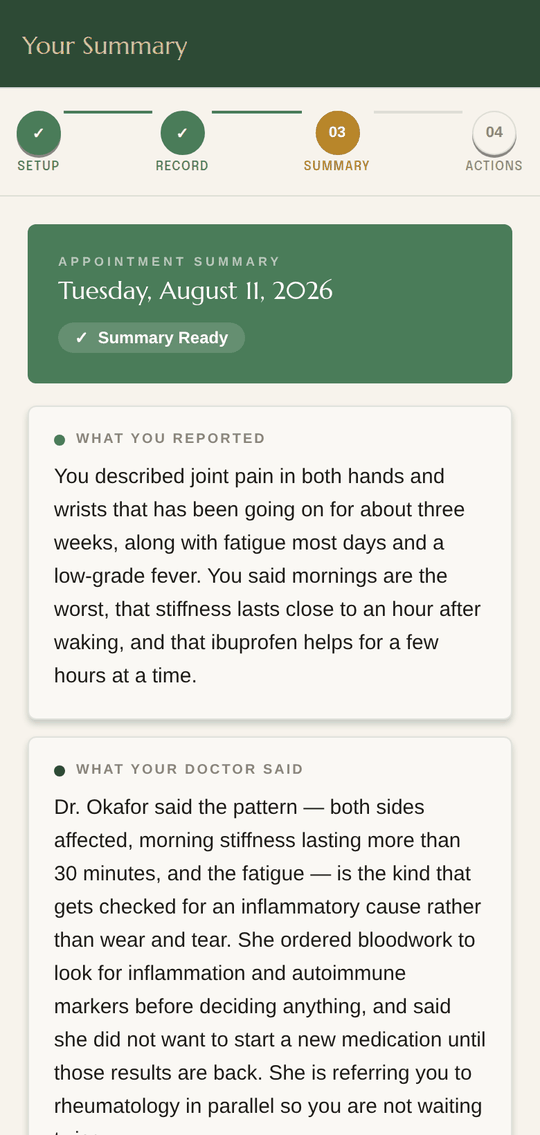
The Rootwise App summary screen: plain-language sections for what you reported, what your doctor said, and diagnoses.
Plain language, section by section

Within minutes of leaving, you have a clean, readable summary of your appointment — what was said, what was decided, and what comes next.

  • What you reported to your doctor, drawn from your notes and your daily check-ins
  • What your doctor said and decided
  • Any diagnoses, referrals, or explanations given
  • Medications, tests, or follow-ups ordered
  • Something off? Fix it yourself — the summary is yours to edit
  • Text too small to read comfortably? One setting resizes every screen in the app
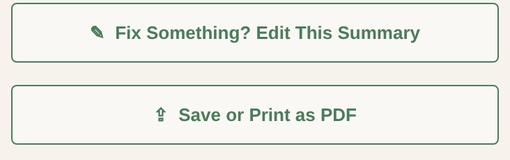
Close-up of two summary buttons: Fix Something? Edit This Summary, and Save or Print as PDF.
Edit anything the AI got wrong, then save or print the whole thing as a PDF to hand to another provider, a caregiver, or your own files.
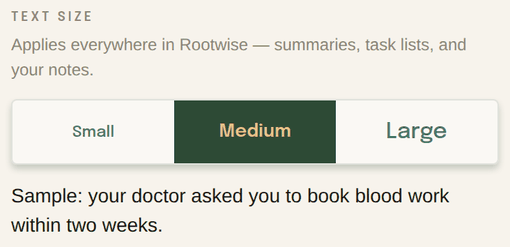
Close-up of the account screen's text size control: small, medium, and large options, with a sample sentence underneath that resizes with the choice.
Set the text size once in Account and every screen follows — summaries, task lists, and your own notes. It sits on top of whatever your phone is already doing, for the people who never found that setting.

Rootwise doesn’t diagnose or treat. Summaries are AI-generated and can be incomplete, so confirm anything important with your care team.

Under the Hood

Transcription

Audio uploads to a Supabase Edge Function, which proxies it to OpenAI whisper-1 and returns the text. The API key is a server-side secret and never ships inside the app. No diarization — the transcript comes back as unlabeled speech.

Summarization

A second Edge Function calls Claude claude-sonnet-4-6 with the transcript plus the pre-visit context — the intake notes and the ranked 30-day check-in counts. One call returns structured JSON: what you reported, what your doctor said, diagnoses, and action items.

Patient Correction

Every generated section is editable. Patient edits overwrite the stored summary and are what the action-item extraction runs against — the human stays the final authority on the record.

Storage & Deletion

The transcript is never written to disk on either side — it exists in memory for the length of the pipeline. The audio is deleted once the summary saves. The summary itself is stored in the patient's own account, with row-level security scoping every row to their user id.

Audio and transcript are never retained

Step 04 / 04

Color-Coded Action List

Every next step, dated and on your calendar.

Follow-Through

Patient Experience

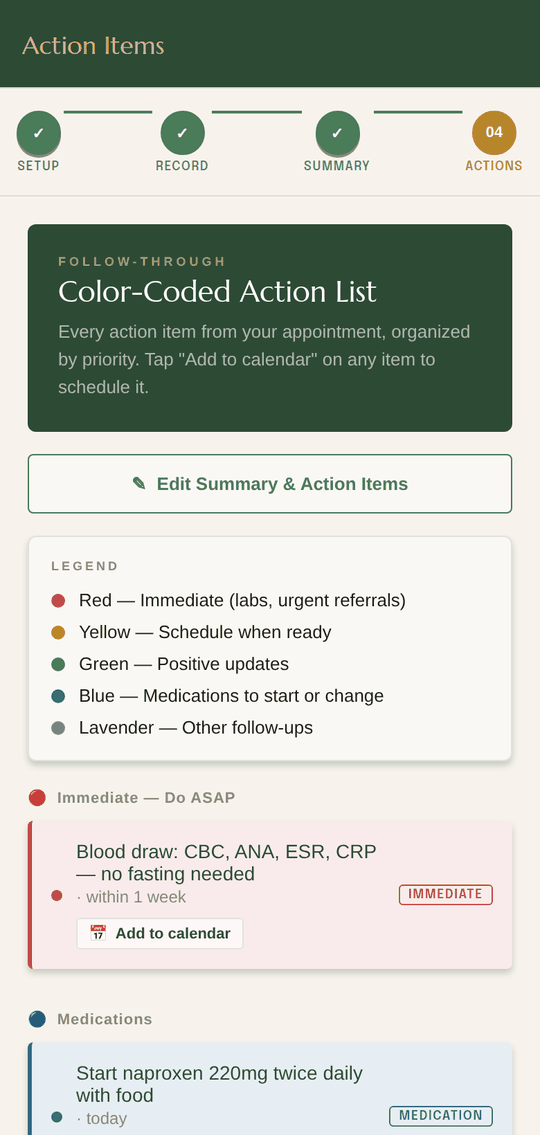
The Rootwise App action list: a five-colour legend and grouped task cards, each with an add-to-calendar button.
Sorted by urgency, not by order mentioned

Every action item from your appointment is extracted and color-coded by priority. Tap “Add to calendar” on any item to put it on the calendar you already use.

  • Red — immediate (labs, urgent referrals)
  • Yellow — schedule when ready
  • Green — positive updates
  • Blue — medications to start or change
  • Lavender — other follow-ups
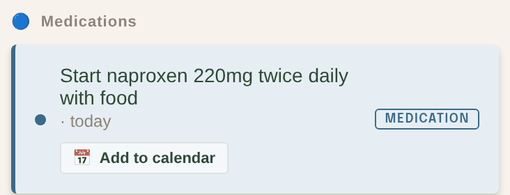
Close-up of an action item: schedule or attend follow-up appointment, due in 3 months, with a Schedule tag and an Add to calendar button.
Each item carries its own timing — “within 4 hours,” “in 3 months” — and one tap opens your calendar with the event already filled in, ready for you to save. The whole list stays editable too.

Under the Hood

Action Extraction

Action items come out of the same summarization call, not a second pass. Classified immediate, non-urgent, update, medication, or other, with whatever timeframe the clinician mentioned kept as free text.

Calendar Hand-Off

Tapping an item opens the OS event editor prefilled through expo-calendar, with a date parsed from that free-text timeframe. Nothing is written silently — so no calendar permission is ever requested, and an AI-guessed date can be corrected before it is saved. Android today; iOS pending its own EventKit pass.

Portability

Summary rendered to PDF and handed to the OS share sheet — save to Files, print, or email it. Once a copy leaves this way it is the patient's outright, and beyond anything Rootwise can recall or delete.

Final State

Appointments and summaries persist in the patient's account, encrypted at rest, until they delete them — deleting an appointment removes its summary too. The day-to-day check-in entries stay on the device; only the ranked counts travel, and only as context for a summary. Audio and transcripts are not retained anywhere.

Patient owns and controls all output data

01 / 04

Between Appointments

Twenty seconds a day beats trying to remember six weeks.

“How have you been since I saw you last?” is the hardest question in the room. The daily check-in answers it for you — tap the symptoms you had, add a note if you want, and the app keeps a running 30-day picture that your next appointment summary draws from.

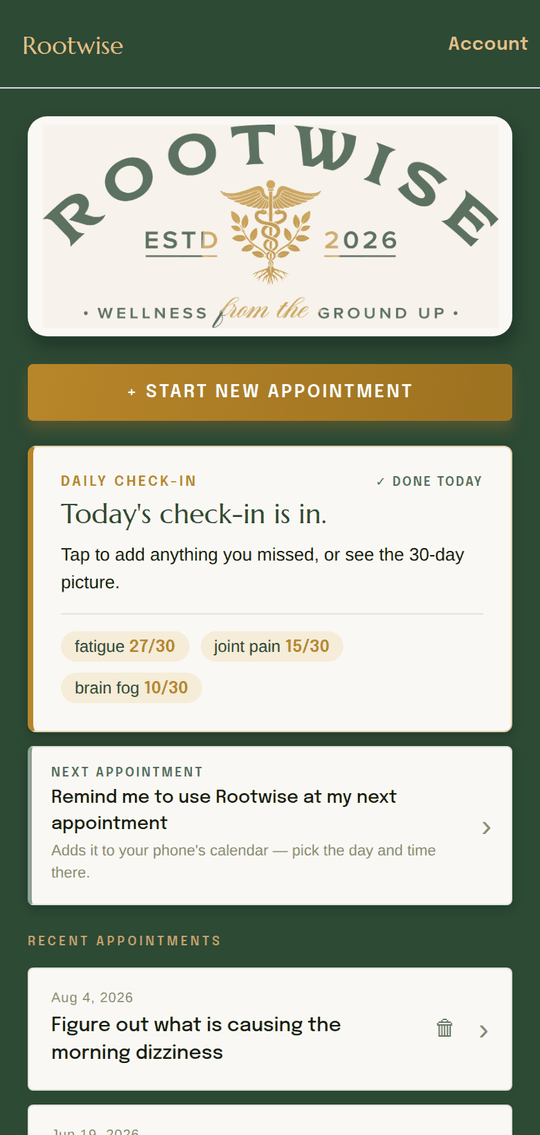
The Rootwise App home screen: the Rootwise banner, a Start New Appointment button, a daily check-in card showing the three most-logged symptoms, a row for setting a next-appointment reminder, and a list of past appointments.
Home — the check-in leads, every visit kept
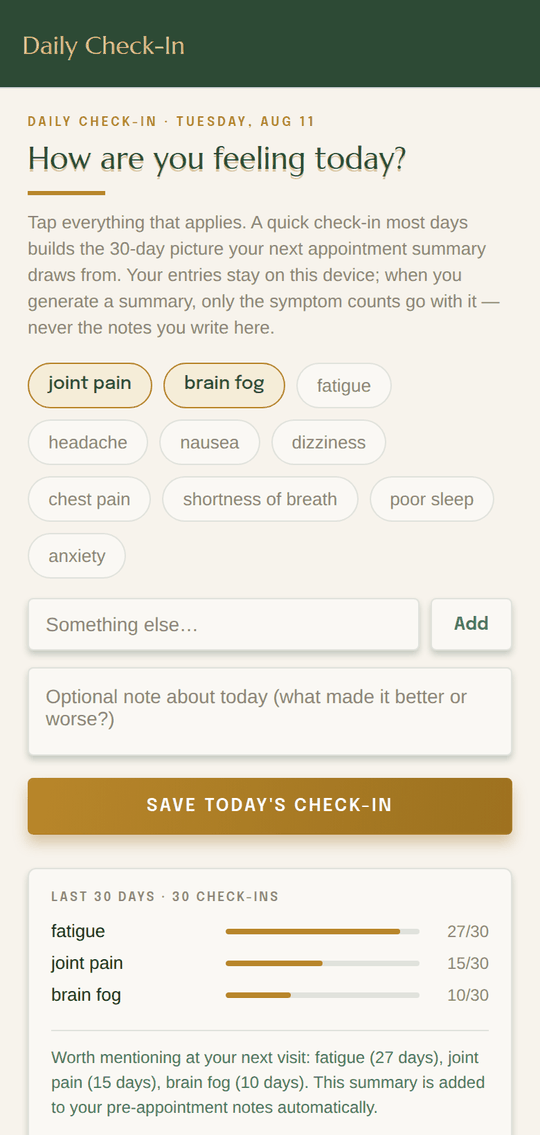
The Rootwise App daily check-in screen: tappable symptom chips, a field for something else, an optional note, and a 30-day frequency chart underneath.
Daily check-in — tap what applies
  • Tap the symptoms you had today — or add your own if it isn't on the list
  • Leave an optional note about what made the day better or worse
  • Your entries stay on your device; when you generate a summary, the 30-day picture goes with it as context
  • The top three carry straight into your next visit notes, so you don't have to remember them
  • Past appointments stay in your account until you delete them — summary, task list, and all
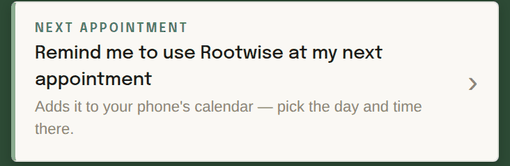
Close-up of the home screen's next appointment row: Remind me to use Rootwise at my next appointment, with a note that it adds the reminder to your phone's calendar.
Know when you're next seen? Set the reminder from home and it lands in the calendar you already use, so the app is open before you walk in rather than after.
Close-up of the 30-day check-in chart: dizziness 5 of 30 days, headache 4, poor sleep 4, shortness of breath 4, blurred vision 3, brain fog 2.
Walk in with “dizziness 5 days out of 30” instead of “a few times, I think.”

Tour · Step 1 of 4

Before the Visit

Loading…

Early Access

You've seen how it works. Get early access.